Introduction What, Why and How
The Play Framework is an open source lightweight framework for developing Java and Scala web applications based on the Model View Controller (MVC) architecture. It was created by Guillaume Bort while working at Zenexity and the intial release of Play, 1.0 was released in 2007. After a complete re-write of Play APIs to Scala, Play 2.0 was released in 2012 in conjuction with Typesafe stack. Currently, Typesafe provides commercial support for the stable version of Play which is Play 2.4.3.
Play follows a stateless, multi-threaded, fully asynchronous web architecture which enables high-scalability for web applications. It is also developer friendly - supports hot deployment(hit refresh workflow), easy error handling, built-in testing, integration with IDE eclipse/idea. Play also supports Type safetyas Scala and Java are inherently type safe languages. Another important aspect of Play, that is not often emphasized on, is that you can also develop Reactive web applications using Play.
Core Components
Play Advantages
-
Play is stateless (and so is the Web). This means that the framework itself will not store any information between user's requests. Along with its fully asynchronous capabilities, Play can scale predictably for large applications. If the application requires information persistence, then it should make use of a database or use cookies or a memory-cache.
"Don't break the first two buttons in a browser"- Reload and Back (Peter Hilton) -
Positive developer experience by simplifying some of the most common application development steps,
- Hot deploy(hit refresh workflow) - Solves one of the most annoying problems related to developing Java web applications. Although it still takes some time to build and compile, it is taken care automatically by the framework itself. Additionally SBT's incremental build approachalso reduces the build/compile time.
- Error Handling and Logging - Errors are thrown on the webpage along with detailed explanation so that you don't have to open up server/application logs and scan through them. Also, logging(using Logback) in Play applications is automatically configured when the application is created (conf/logback.xml).
- Inbuilt testing - To test your application, simply add application test files under the test directory in your project and then run the tests from the console using testand test-onlycommands.
- Easy integration with Eclipse/Idea, and a bunch of other modules that can be found on the Play Wiki on Github, that improve developer productivity.
-
Reactive applications - With Scala, one can develop powerful asynchronous and non-blocking programs for handling streams of data in Web applications. Play provides the Iteratees and Enumerator/Enumeratees construct for consuming and producing data respectively. They are based on the functional programming paradigm of Scala and are far more expressive for developing reactive applications compared to other web frameworks. Play uses WebSockets to establish bi-directional connection between client and server. I would suggest going through the book Scala For Java Developers to get a good understanding of Iteratees and Enumerators.
Why should I not use Play
-
Although the current version of Play - 2.4.3 is stable, Play as a framework is not mature enough with lots of development activity in progress and version changes that are not backwards compatible.
-
Deploying your Play application is not an easy task (I will write a tutorial on this in some time) and there are limited deployment options like Heroku, Cloudbees.
-
Play documentation is really good, but apart from that, there are only a handful of tutorials.
-
Steep learning curve to understand the framework before getting started with development.
-
Other cases when you want to avoid using Play are
- Small projects/ Quick hacks (which are not getting complex)
- Small teams - Application maintenance is not your objective.
- Application is primarily I/O bound and not much CPU intensive.
Install and Setup Play
Note: Java 8 (JDK 1.8 and above) is required for developing Play 2.4+ applications.Getting started with the Play framework is fairly simple and straightforward. Play 2.3 and above are bundled along with which provides a nice UI for compiling, testing and running Play applications.
-
Setup and configure the Java environment (JDK 1.7/JDK 1.8). Refer this link for more details on this step.

-
Download latest version of Play with Activator Play 2.4.3 "Damiya" and extract the zip file.
-
Add the Activator executables to your system PATH.
tar -xvf typesafe-activator-1.3.6.zip;
export PATH=/<path to activator>/typesafe-activator-1.3.6/bin:$PATH
Now you are ready to develop Play 2.4 applications!For more details on installing, refer the official documentation Installing Play.
Creating a Play application
Before creating a new Play application, make sure that you have configured and setup the Play framework. Test the setup by running
activator uifrom any directory in the terminal and it should open up the local instance of activator on the browser.
-
Change directory to the location where you want to create the new project and use the activator command.
The home directory for this newly created project is <path to workspace>/<project name>
Template field is optional and can be used to initialize the Play project with basic files and configuration according to the template.
The following commands initialize a Play Java project named Sample-Java-App.cd <path to workspace>
activator new <project name> [<template>]
activator new Sample-Java-App play-java
-
Type
activator run
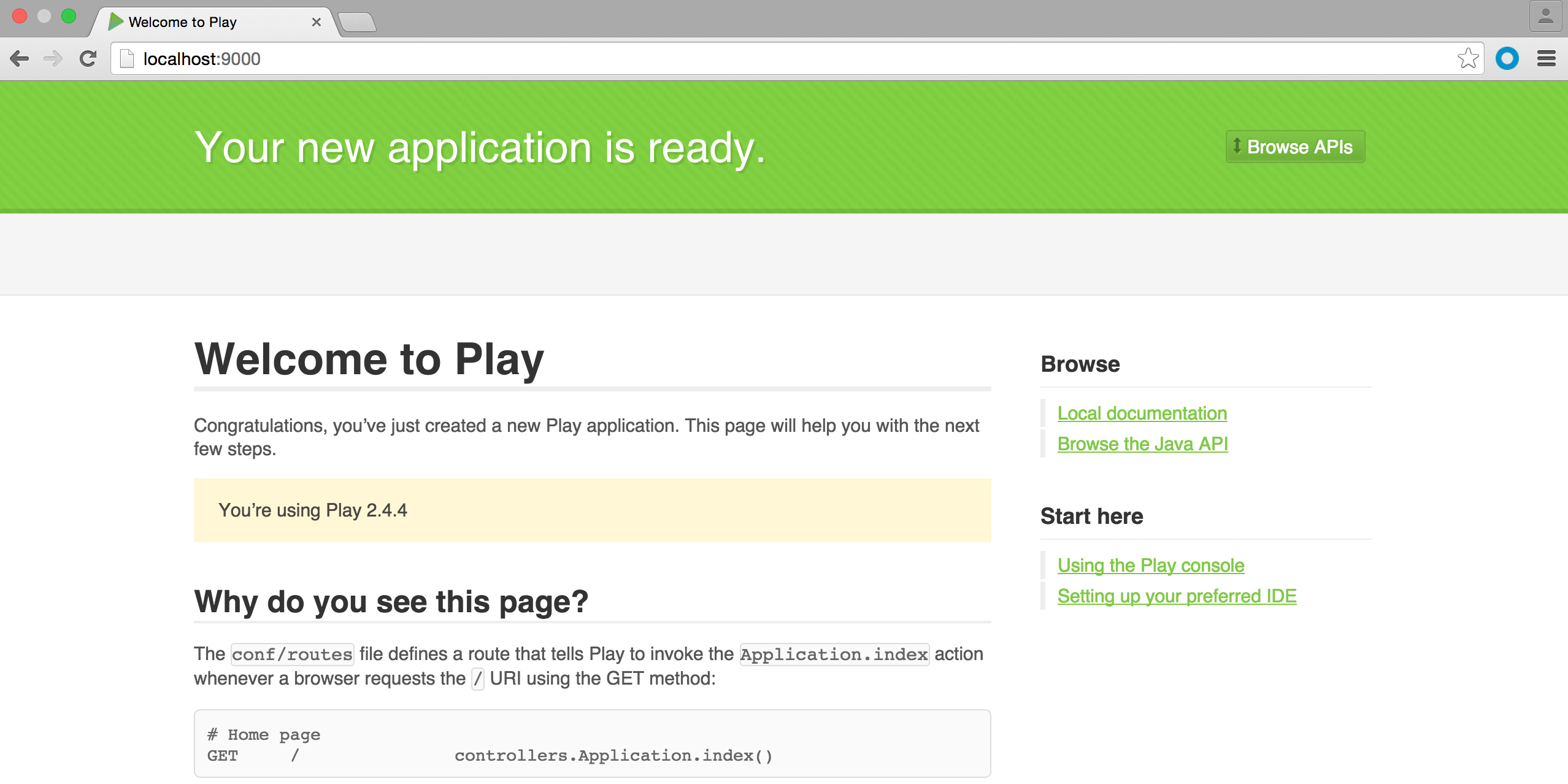
from the project home directory and if everything went well, you should see the project compiling successfully and listening by default on localhost, port 9000. To verify go to localhost:9000 on your web browser and you should see the Play welcome page.
-
Play provides easy integration with Eclipse and Idea. Add the Eclipse/Idea plugin to project/plugins.sbt file, and compile your project.
addSbtPlugin("com.typesafe.sbteclipse" % "sbteclipse-plugin" % "4.0.0")
activator compile
-
To open a newly created Play application as an Eclipse project run
activator eclipsefrom the project home.

Import as an existing project.

References
-
http://www.slideshare.net/areelsen/introduction-playframework
-
http://mandubian.com/2012/08/27/understanding-play2-iteratees-for-normal-humans/
-
https://www.playframework.com/documentation/2.4.x/Enumeratees
-
http://rahulrav.svbtle.com/an-introduction-to-iteratees-with-the-play-framework
-
http://www.ybrikman.com/writing/2013/11/24/play-scala-and-iteratees-vs-nodejs/
-
http://www.ybrikman.com/writing/2014/09/29/nodejs-vs-play-framework/
-
Book - Scala For Java Developers By Thomas Alexandre Google Ebook
Post Tags Play Framework Web Service Quickstart Java Open-Source